Network Setup
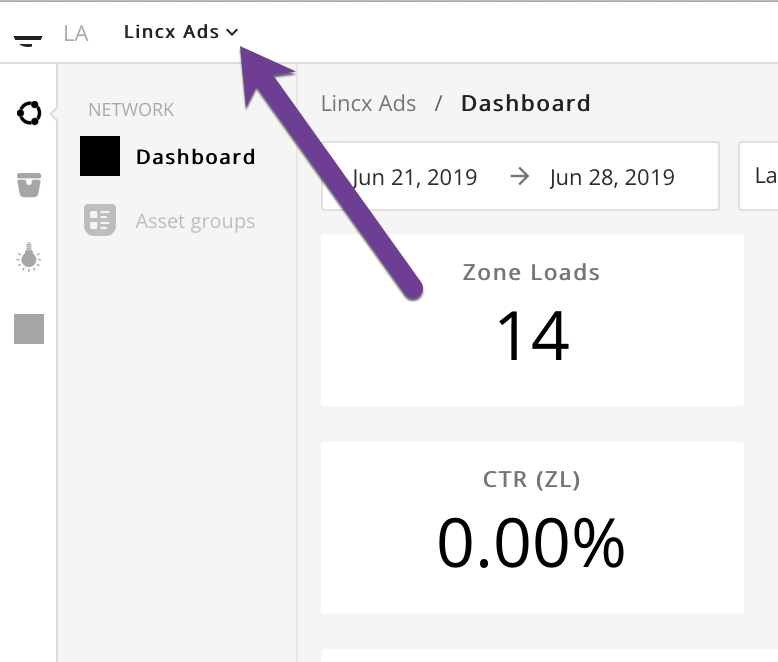
In order to create a Network you will first need to navigate to the upper left corner of the screen and select the dropdown as shown in the image below.
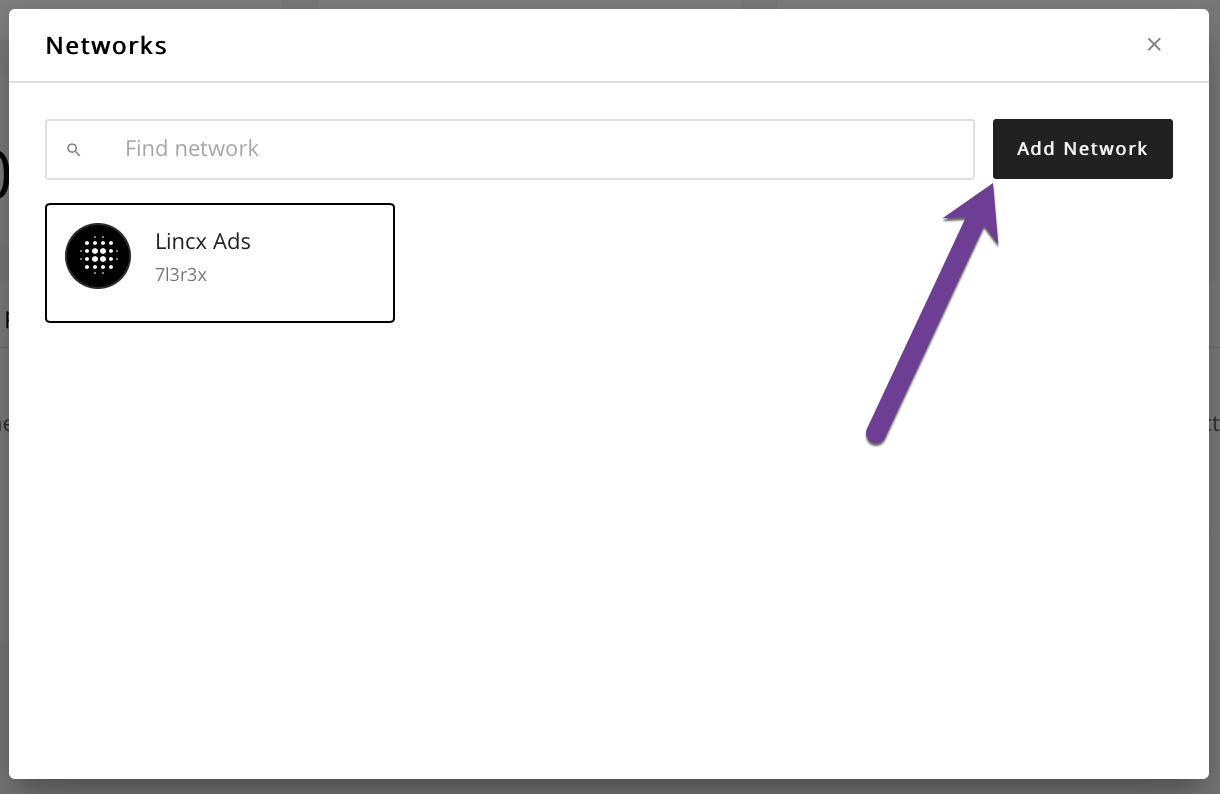
Once you've successfully clicked that you will see a pop up menu like the next image which have an index view with all available Networks shown and the ability to search for a Network. If you hover over an existing Network and select the gear that appears, it will allow for editing of the Network and direct links to that Network's publishers and advertisers index pages. To add a new Network, simply click the button that says Add Network.
Now the popup menu will change again, but this time it will present you with the option to enter the data fields required to create a new Network.
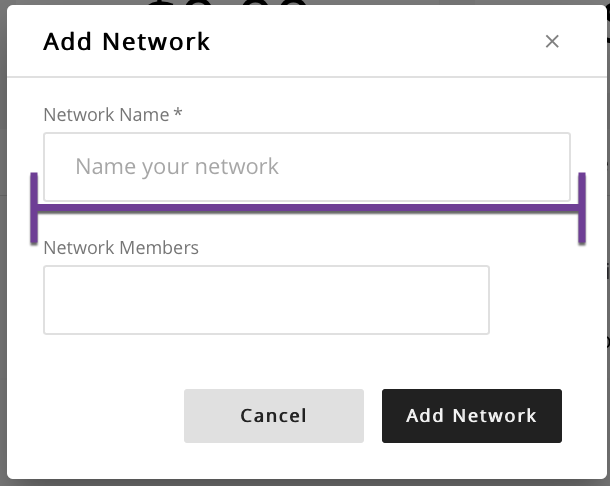
Add a name for the new Network and any related email addresses for members of the Network. Once you are satisfied with your entries, click the Add Network button and you will be redirected to the dashboard view for the new Network that you just created.
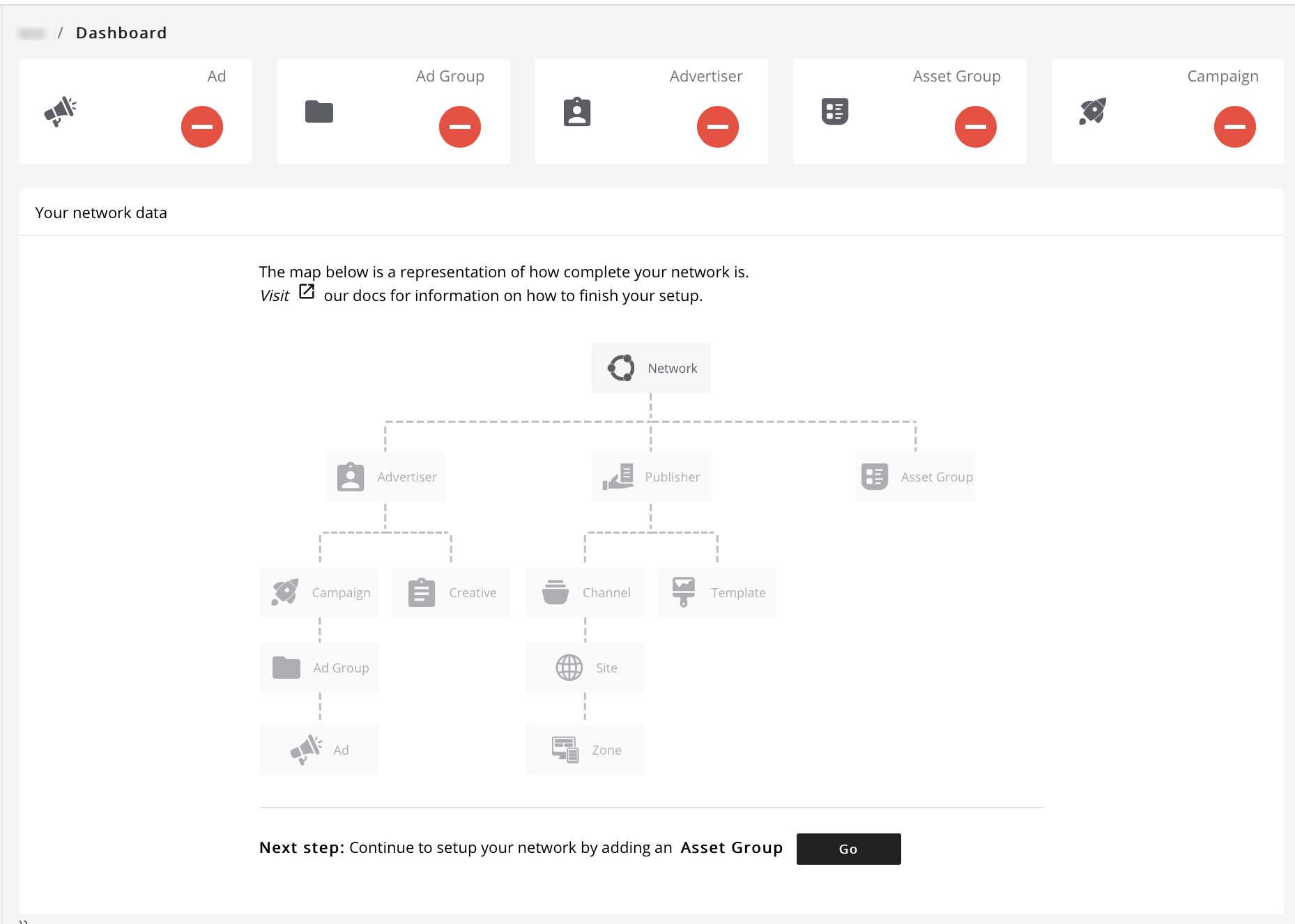
From here you will be prompted to begin creating entities that will constitute your overall network.